Today dashboard
Start each day with your classes, their occupancy, items that need action and set-up prompts in one place, by day or by month.
- Studio web
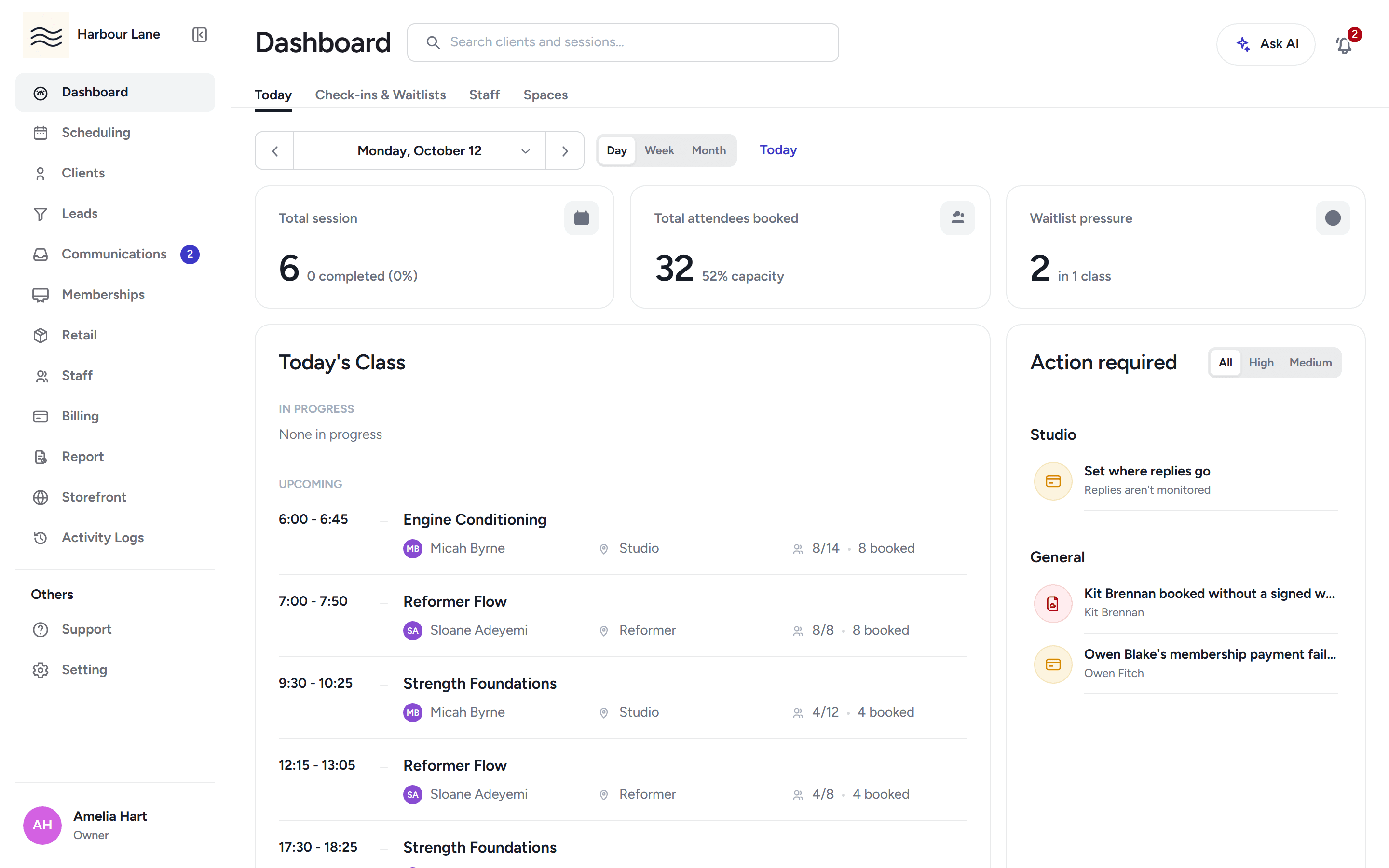
Open a class and see who is booked, who has signed a waiver, and who needs paying — then check them in one tap.
Start each day with your classes, their occupancy, items that need action and set-up prompts in one place, by day or by month.
Open a class from the check-in screen and mark each member in, with their waiver, payment and emergency details beside their name.
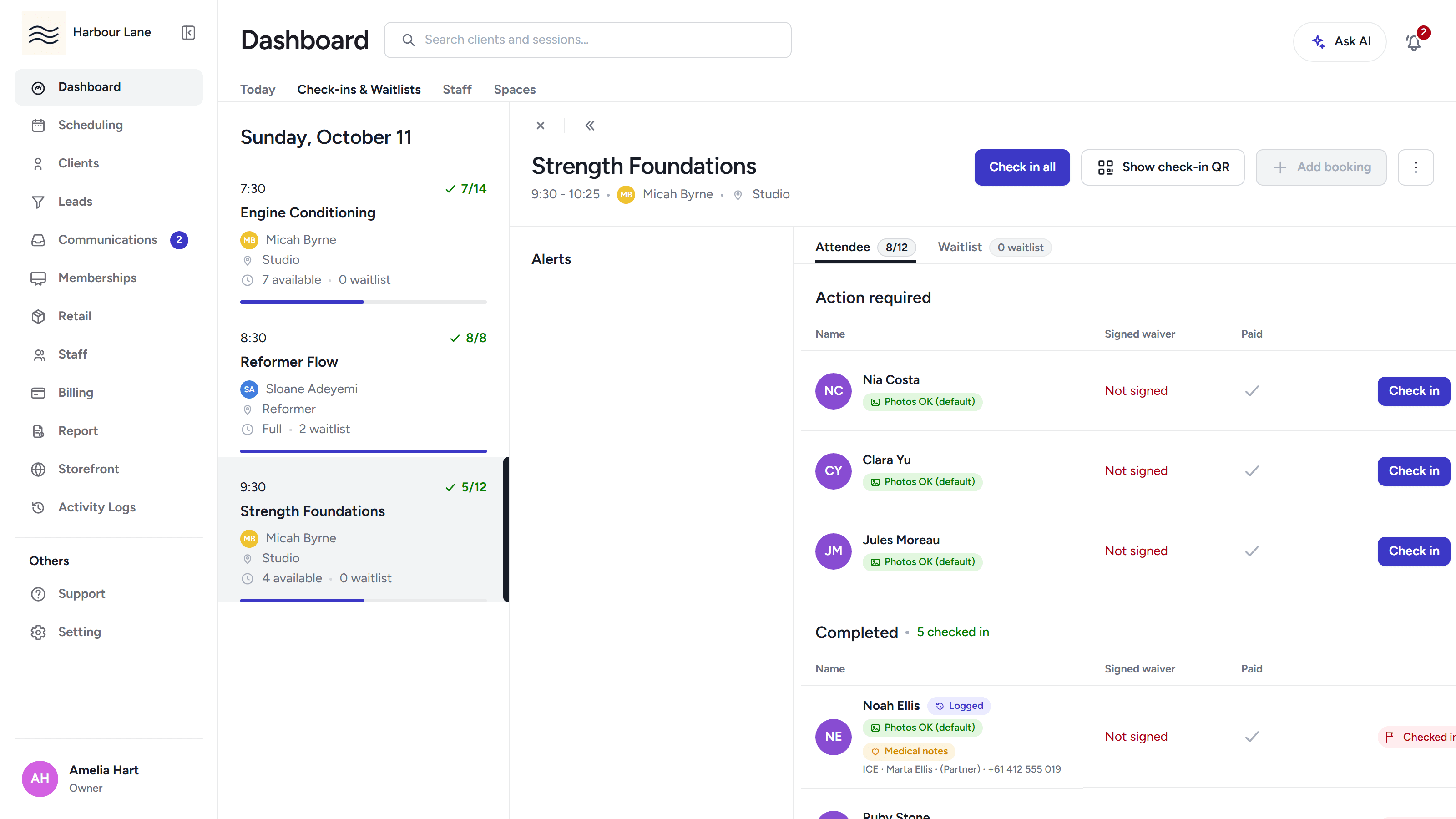
Mark the whole class present in one action from the class details, instead of tapping each person.
Search clients and sessions straight from the dashboard header, without leaving the page.
Members join a first-in-first-served waitlist. When a seat frees up, the next member is offered it by text, email and push inside your offer window, and the next in line follows if they decline.
Book a member into any class from the desk, and with the right permission override a missing waiver, intake or age rule, or comp the booking — each override is recorded.
Print a roster with each member's emergency contact and allergies, plus photo and medical columns, so the day runs safely on paper too.
The live roster shows a photo-permission chip and a medical-notes flag per person, and a guardian's phone number is one tap away.
Show a rotating class code on a screen; members scan it in the app to check themselves in, and any phone can use the web fallback link.
Turn a tablet at the front desk into a self-service station where members complete forms behind a staff PIN.
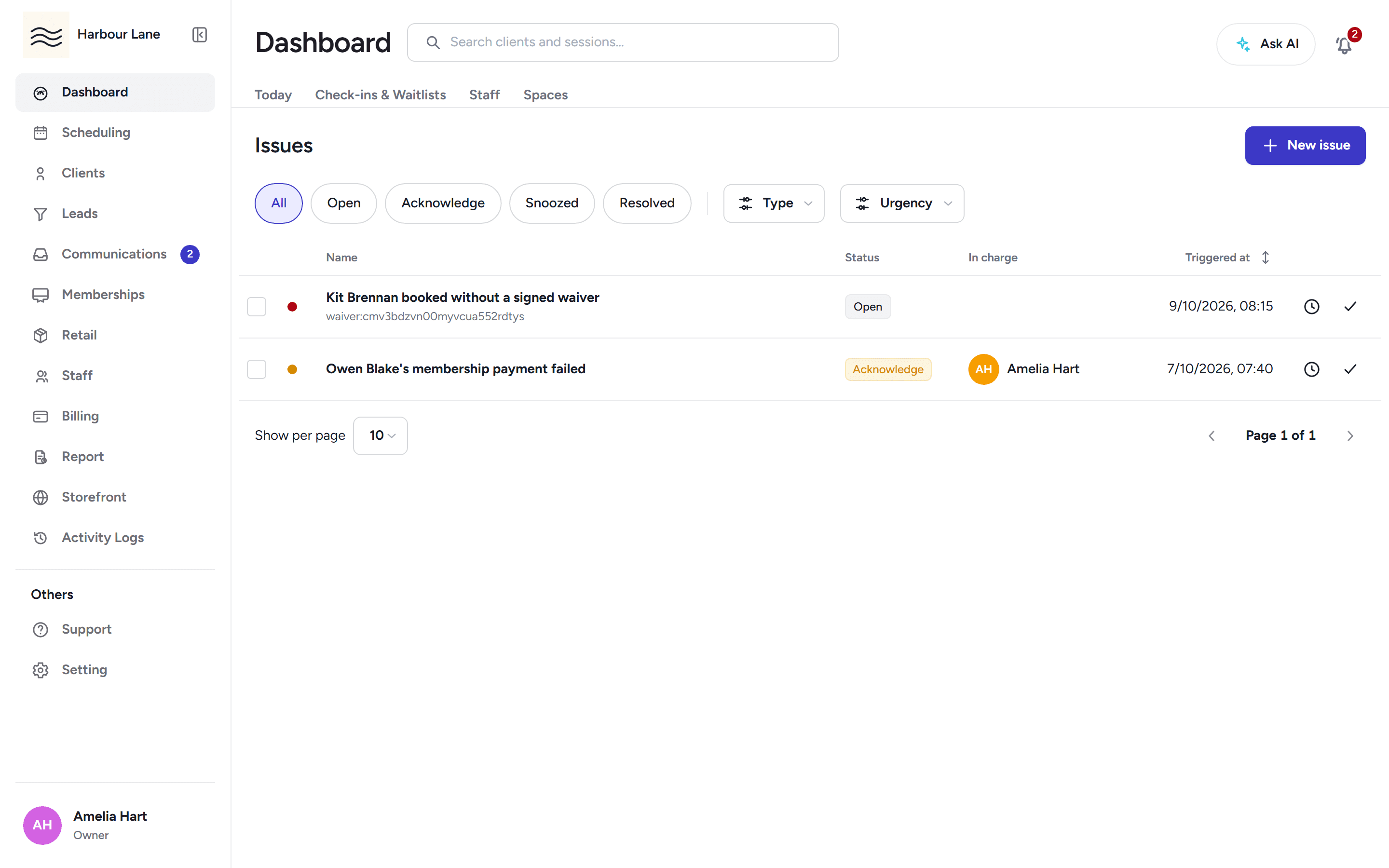
A queue of things that need your attention — failed payments, overdue waivers, disputes — with notes and a full history on each one.
30-day free trial, with your card only charged at go-live.