Switching platforms? Your first invoice can wait until your old contract ends

Storefront and Explore

Your own bookable studio page with your branding and schedule, plus a listing on Explore where new locals can find you.

Who uses it
OwnerManagerMember

Your studio page

Your own booking page

Your studio gets a public page with your schedule, coach profiles and drop-in checkout. When someone starts paying, their seat is held for five minutes so nobody else can take it while they enter their card.

  • Public page
  • Member web
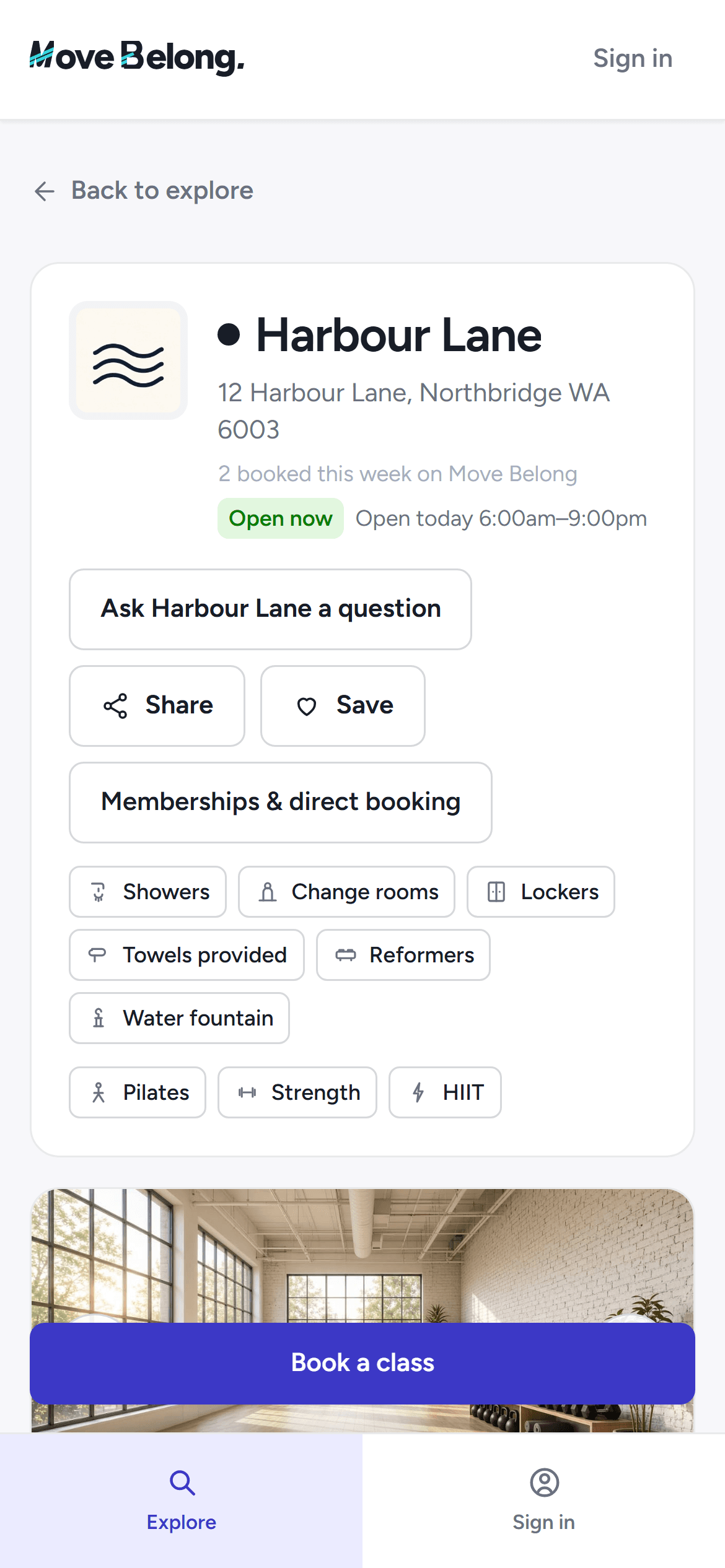
The studio's Explore profile on a phone-width screen with the schedule and bookable classes.

Your studio profile

Write your profile once — photos, facilities, the sports you coach and who you serve — and edit it in the Storefront with a live mobile and desktop preview beside you.

  • Studio web
  • Public page
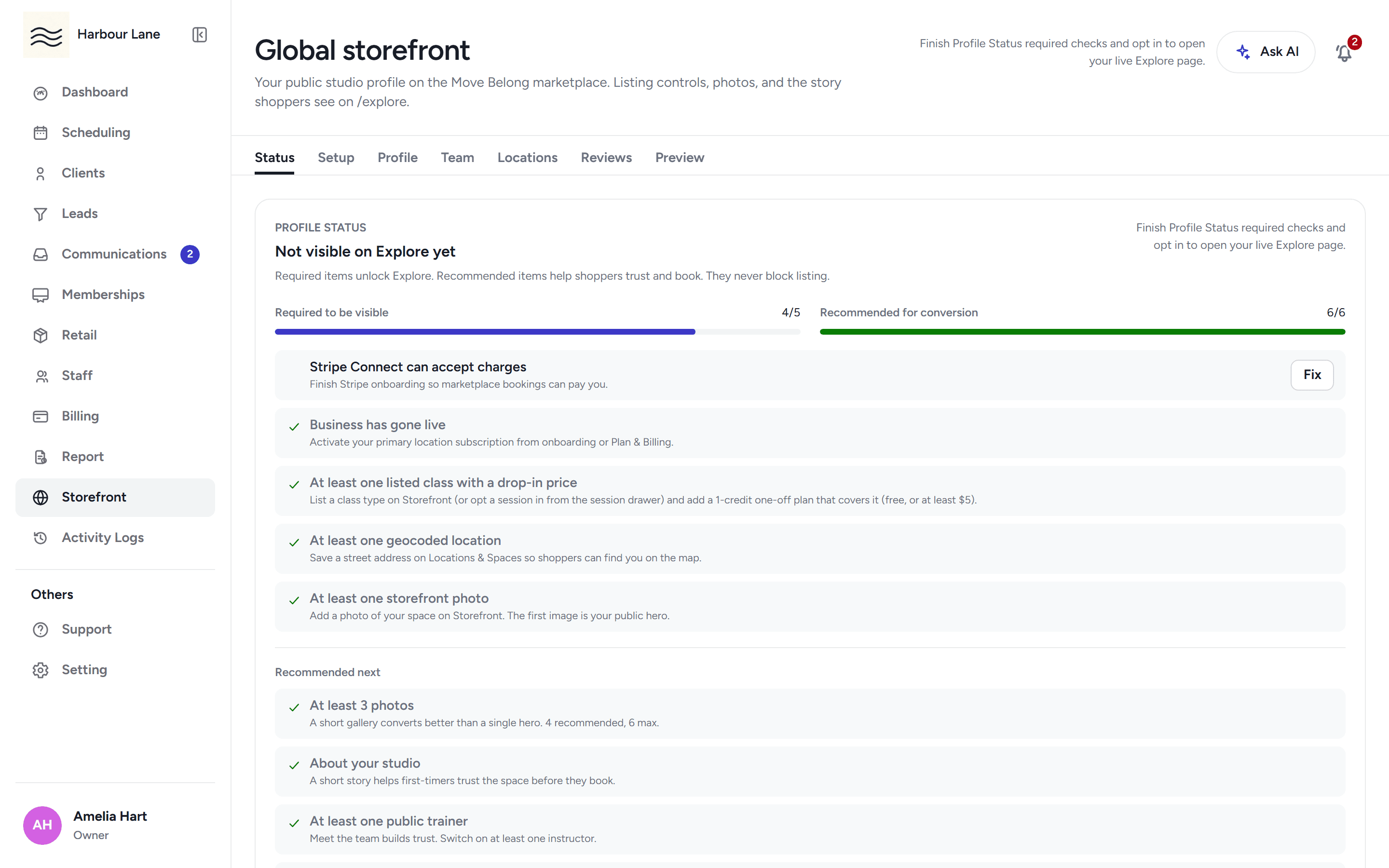
The storefront editor with the studio profile fields, listing status and the mobile preview pane.

Coach profiles

Add your trainers with a photo, bio and the classes they take. Each coach gets a public profile on your studio page and on Explore, so members know who they are booking.

  • Studio web
  • Public page
  • Phone app
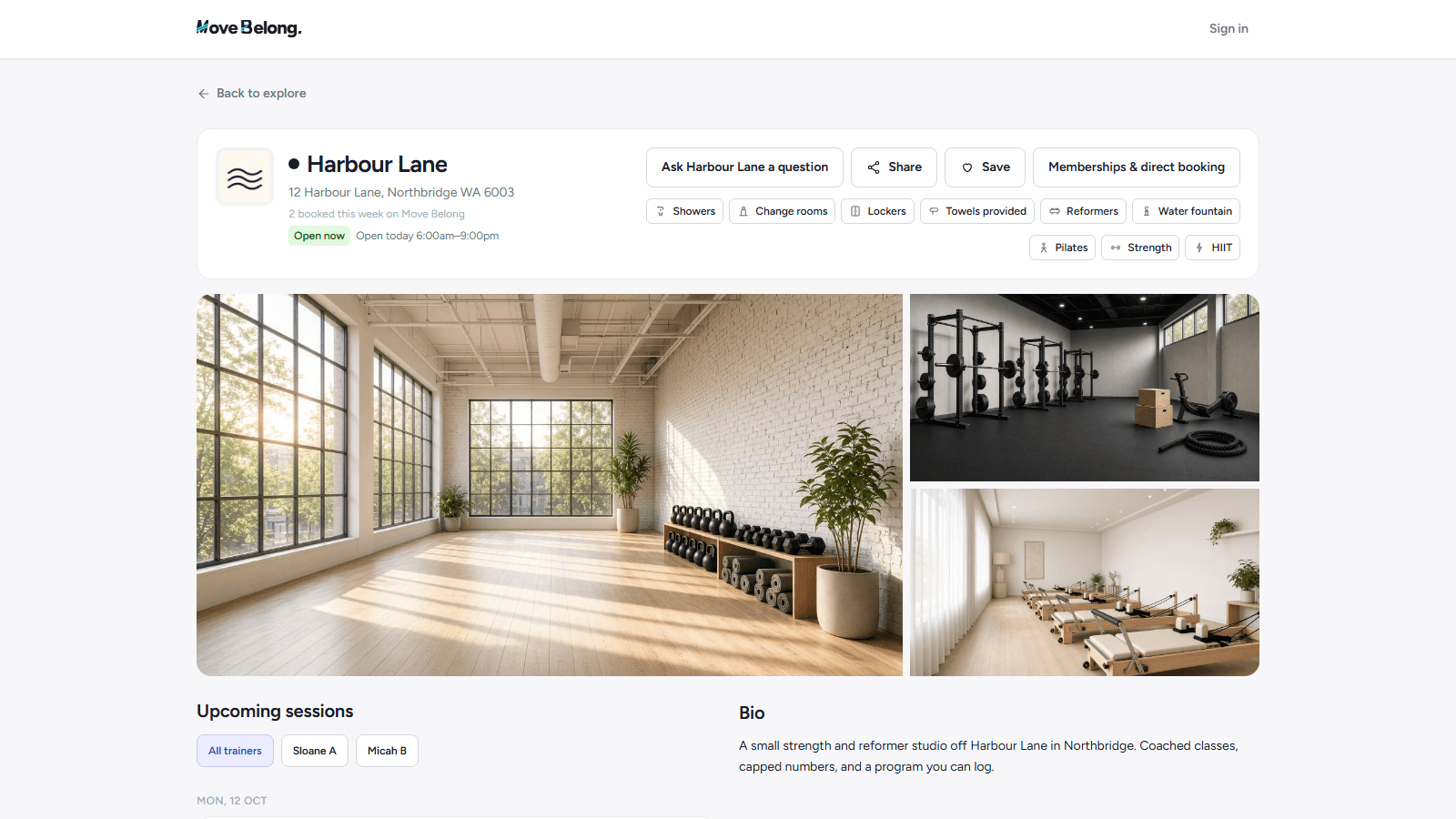
The studio's public Explore profile with its photo gallery, facilities, trainers and upcoming drop-in classes.

Your branding everywhere

Upload your logo and set your brand colours once. They carry through the staff app, the member portal, your emails and printed documents like rosters and receipts.

  • Studio web
The storefront editor with the studio profile fields, listing status and the mobile preview pane.

Be found on Explore

Drop-in classes, listed your way

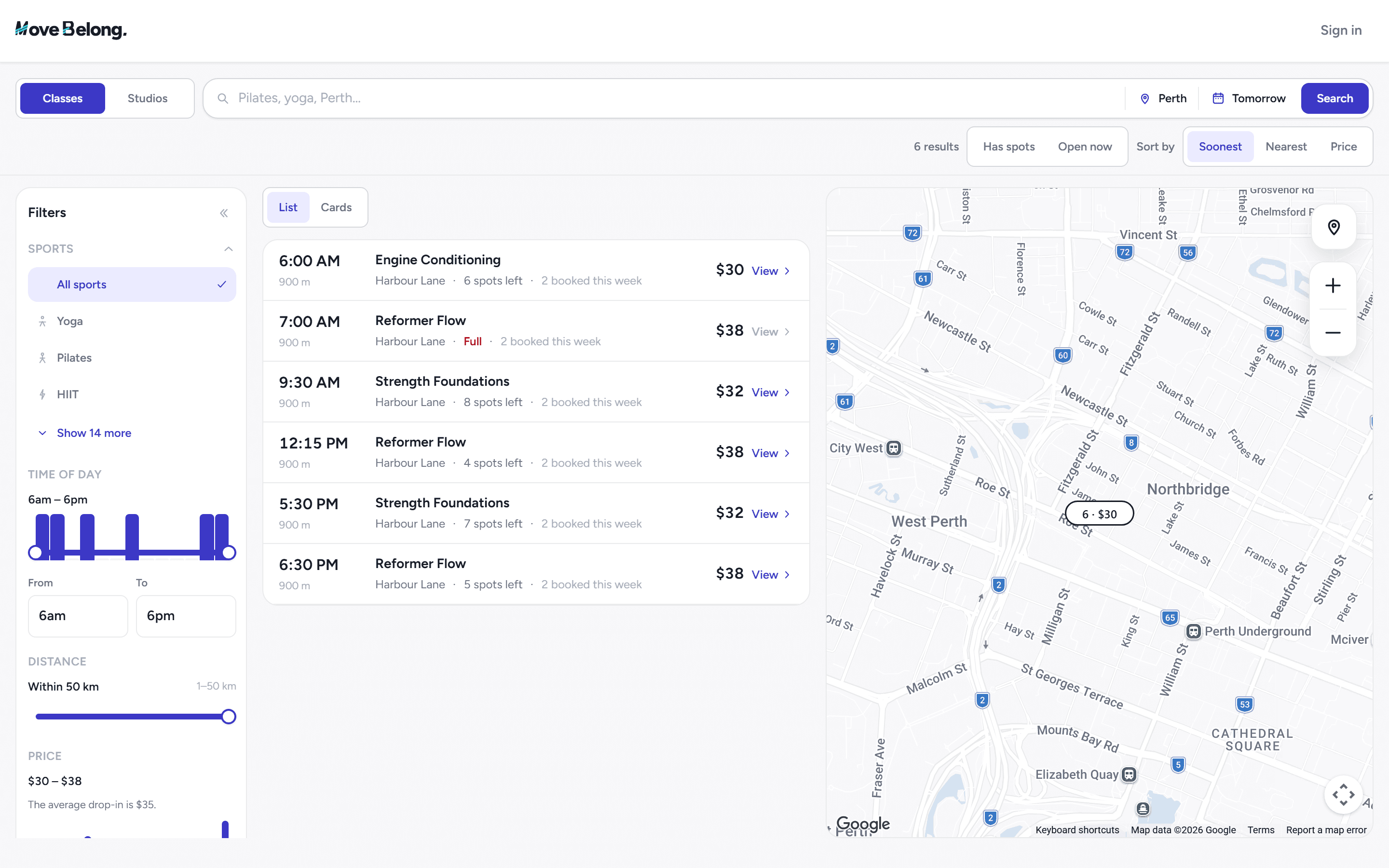
Turn on Explore listing per session and set the drop-in price for that class type. Not every class has to be public — you choose session by session, and the listing always shows how many spots are left.

  • Studio web
  • Public page

Member reviews

Members who attend your classes can be invited to leave a review. Reviews are screened before they publish, they appear on your Explore page, and you can reply to what is written.

  • Phone app

Frequently asked questions

What is Move Belong Explore?
A marketplace where members find studios on a map, filter by day and save favourites, and book drop-ins on the spot.
Do I control which classes appear on Explore?
Yes. Choose per session whether it appears on Explore and at what drop-in price.
Can members book without an account?
They check out with their email and card, and the booking lands in your roster either way.

Run storefront and explore with Move Belong

30-day free trial, with your card only charged at go-live.