Staff invites
Invite staff by email with a secure link that lasts seven days. They can accept onto your studio whether or not they already have a Move Belong account, and each person lands on their permissions page.
- Studio web
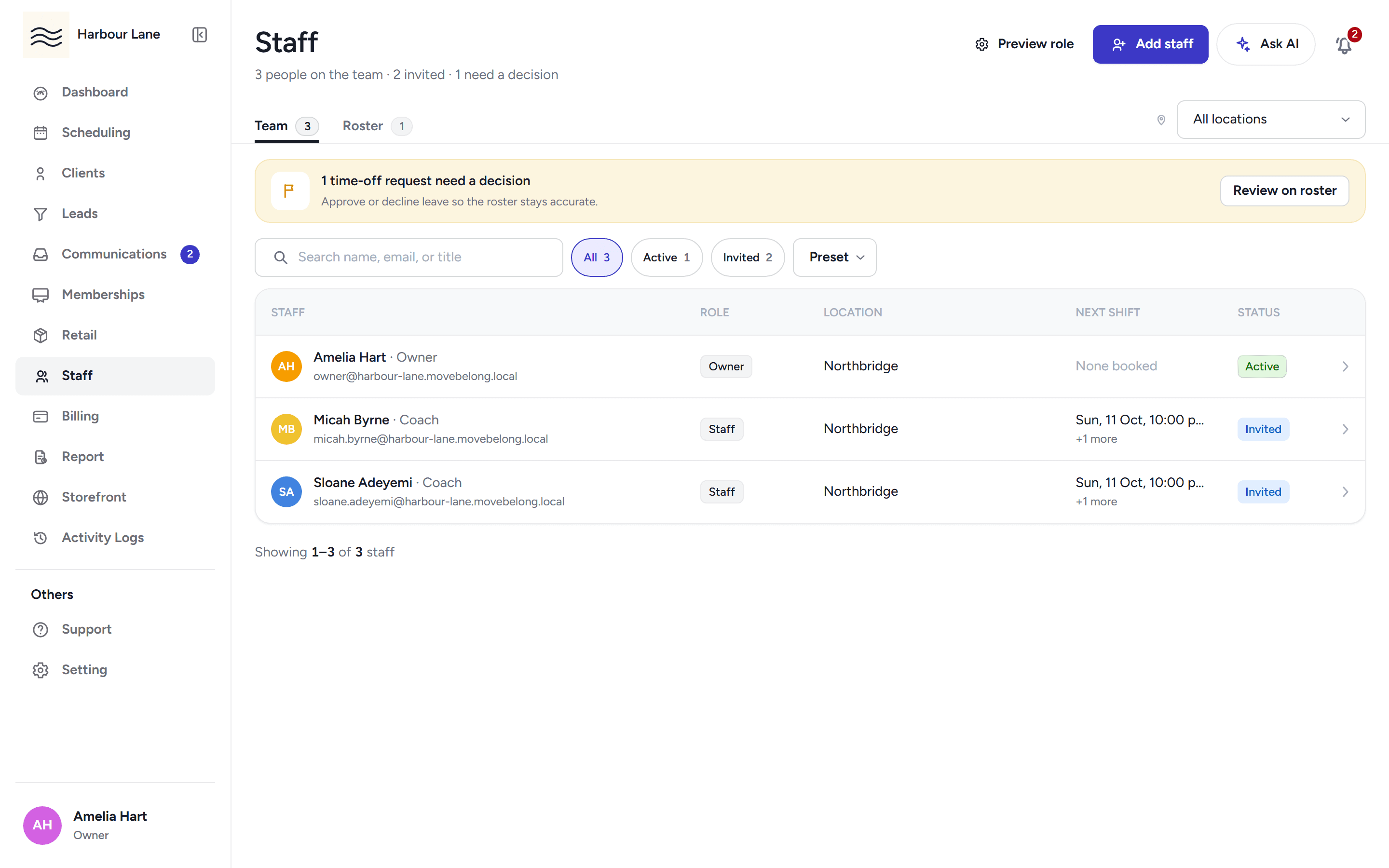
Invite staff with a secure link, roster their shifts, and control what each person can do with permission presets and per-person overrides.
Invite staff by email with a secure link that lasts seven days. They can accept onto your studio whether or not they already have a Move Belong account, and each person lands on their permissions page.
Start from the Owner, Manager or Staff preset, then override any single permission per person. Every screen, button and API route checks the same catalogue, and the staff sidebar only shows what that person can reach.
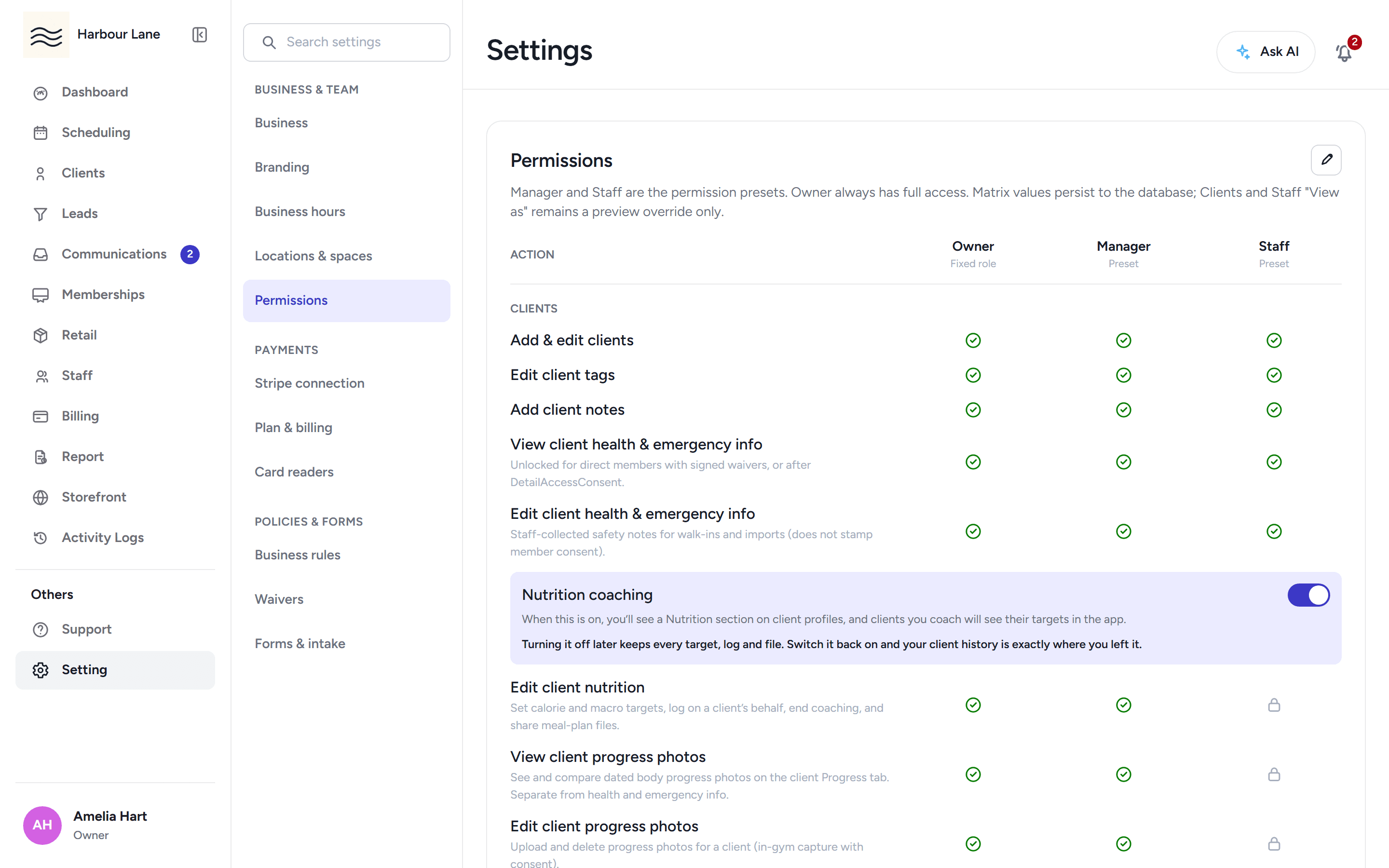
If you own more than one studio, switch context from the sidebar. Only studios you own appear on the list, and your permissions travel with the studio you pick.
Build the team roster week by week and add individual shifts per staff member. The roster is visible on the Staff page and feeds the schedule day grids, so a rostered coach shows up beside the classes they teach.
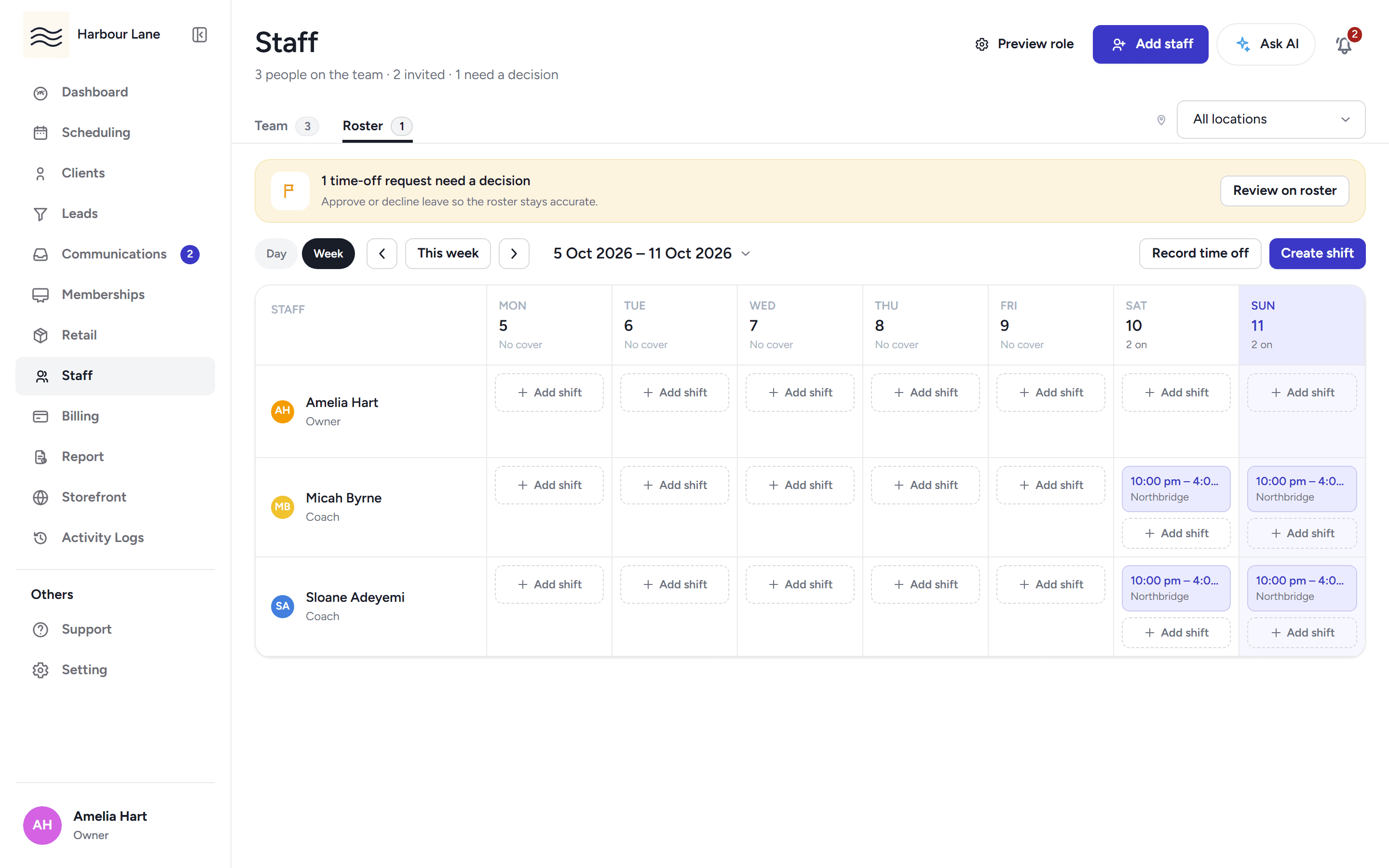
Staff request time off and you approve or decline it. Approved time off counts as busy, so consultations and class scheduling both steer around it.
30-day free trial, with your card only charged at go-live.