Switching platforms? Your first invoice can wait until your old contract ends

Leads and follow-up

Work your enquiries on a drag-and-drop board of stages you control, with follow-up tasks so no lead is left sitting.

Who uses it
OwnerManagerStaff

Work the pipeline

Lead pipeline board

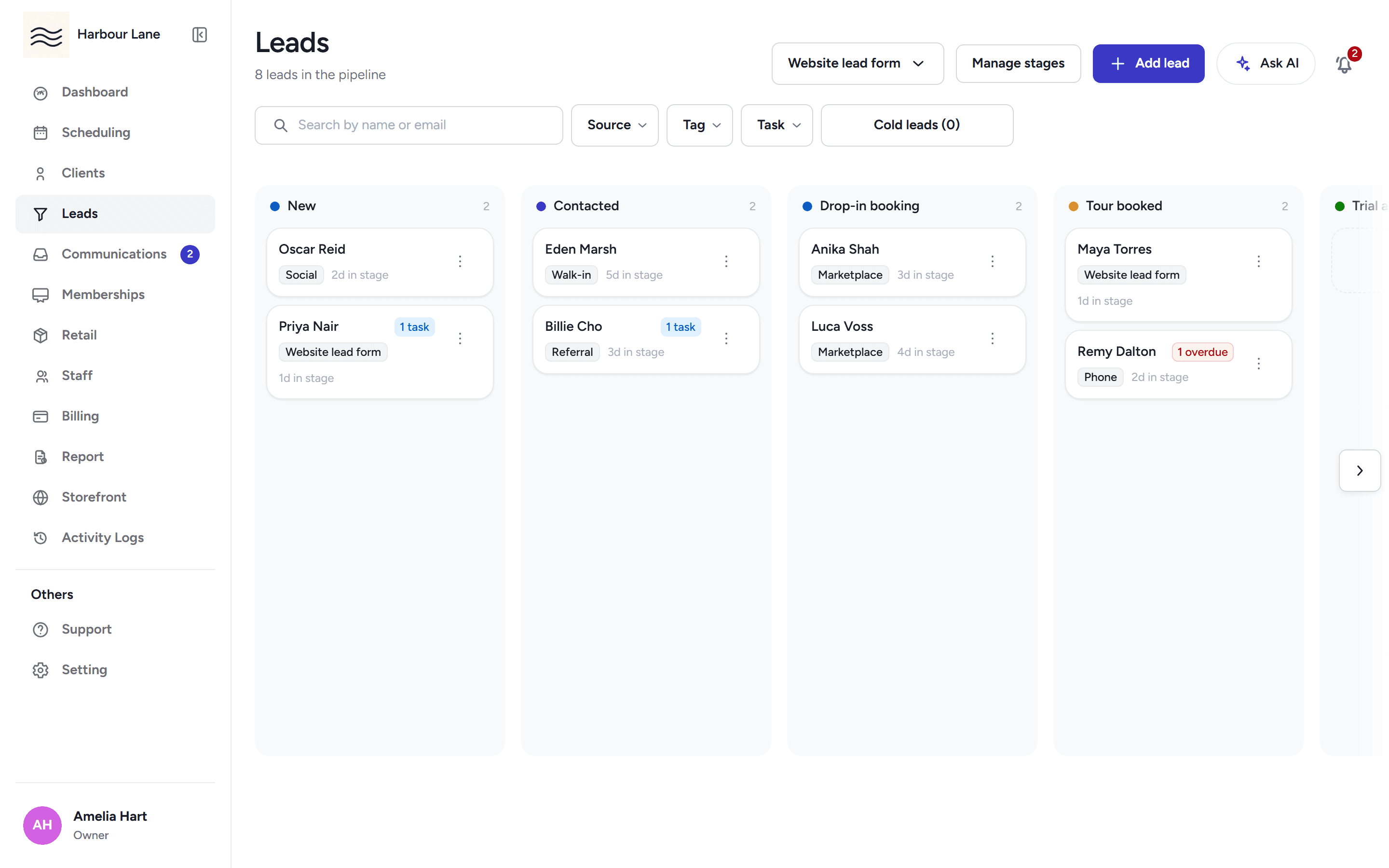
Drag enquiry cards between stages — or use the Move to stage menu on each card. Stages you add can be renamed, hidden, reordered and archived when someone is sitting in them, and the columns stay on the board even when they are empty. Search and filter by name, email, source, tag, task state and how cold a lead has gone.

  • Studio web
The lead pipeline board with enquiry cards across New, Contacted, Drop-in booking and Tour booked stages.

Follow-up tasks

A stage can open a follow-up task the moment a lead enters it. Give the task a due date and it shows as overdue on the board and in the drawer the day it passes.

  • Studio web
The lead pipeline board with enquiry cards across New, Contacted, Drop-in booking and Tour booked stages.

Lead drawer

Open a card for the lead's contact details, notes, tasks and email — including templated sends with a recipient preview — plus sequence enrolment, all without leaving the board.

  • Studio web
The lead pipeline board with enquiry cards across New, Contacted, Drop-in booking and Tour booked stages.

Capture enquiries

Website enquiry form

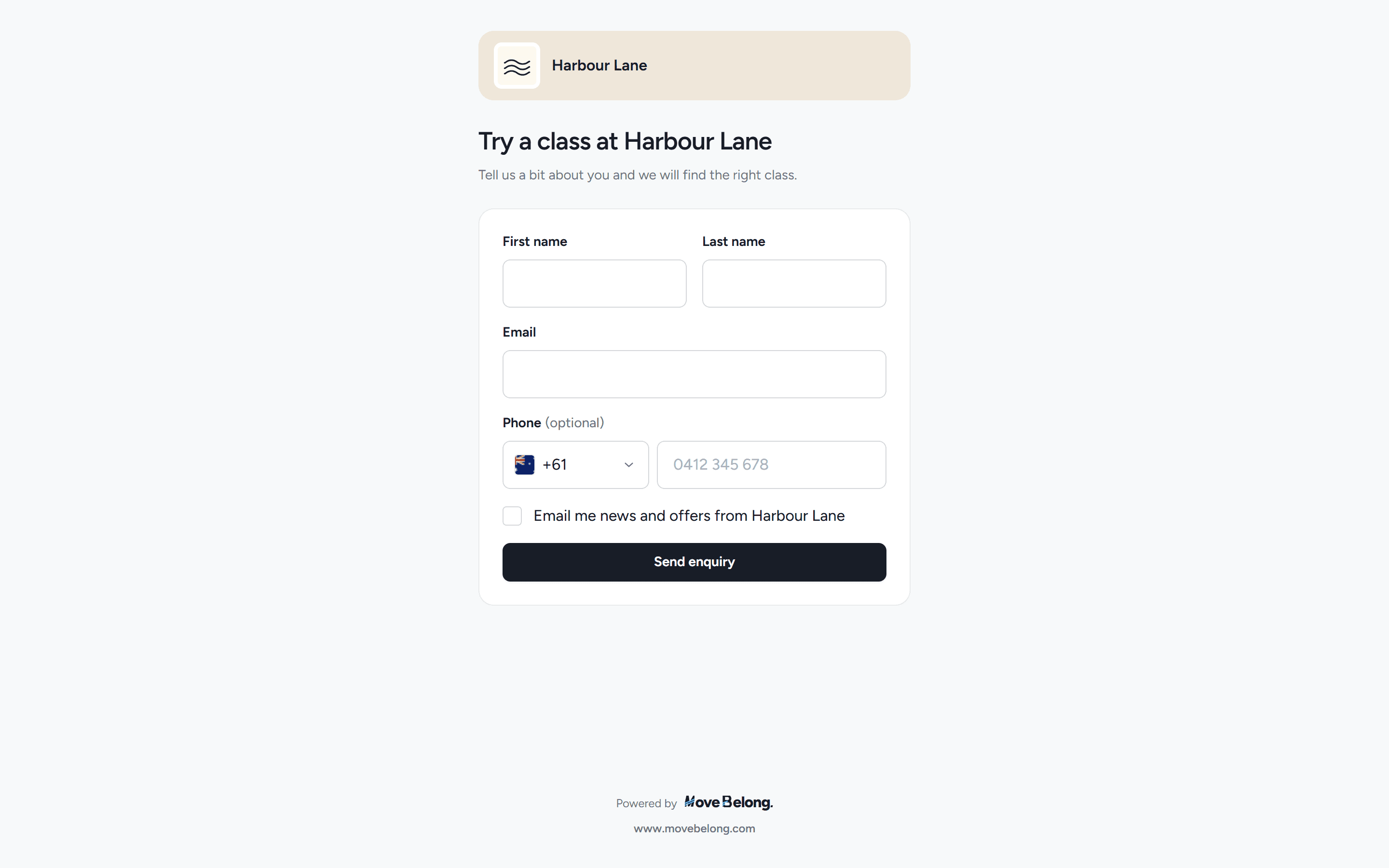
Embed your lead form on your own website with one snippet, editable heading, introduction and submit copy, and your logo and colours on the public page. Every submission lands on the board with its source marked, rate-limited and honeypotted against bots.

  • Studio web
  • Public page
The studio's public enquiry form embed with heading, name, email and phone fields on the studio brand colours.

Add lead with duplicate detection

Adding a lead checks the email first. An existing client blocks the save with a link to their record, so you never create a second person.

  • Studio web

Frequently asked questions

Can I put an enquiry form on my own website?
Yes. Copy one iframe snippet and your form is live. You can edit its heading, introduction, submit label and whether it asks for a phone number, and it renders in your brand colours.
What stages does the board start with?
New, Contacted, Drop-in booking, Tour booked, Trial active and Trial ended. Required stages stay; you can rename or hide Contacted and Tour booked, add custom stages, and reorder the board.
Can I be reminded to follow up?
Yes. Turn on the per-stage prompt and a follow-up task opens the moment a lead enters that stage, with an optional task title. Overdue tasks show on the board and in the lead drawer.

Run leads and follow-up with Move Belong

30-day free trial, with your card only charged at go-live.