Your membership, in your pocket
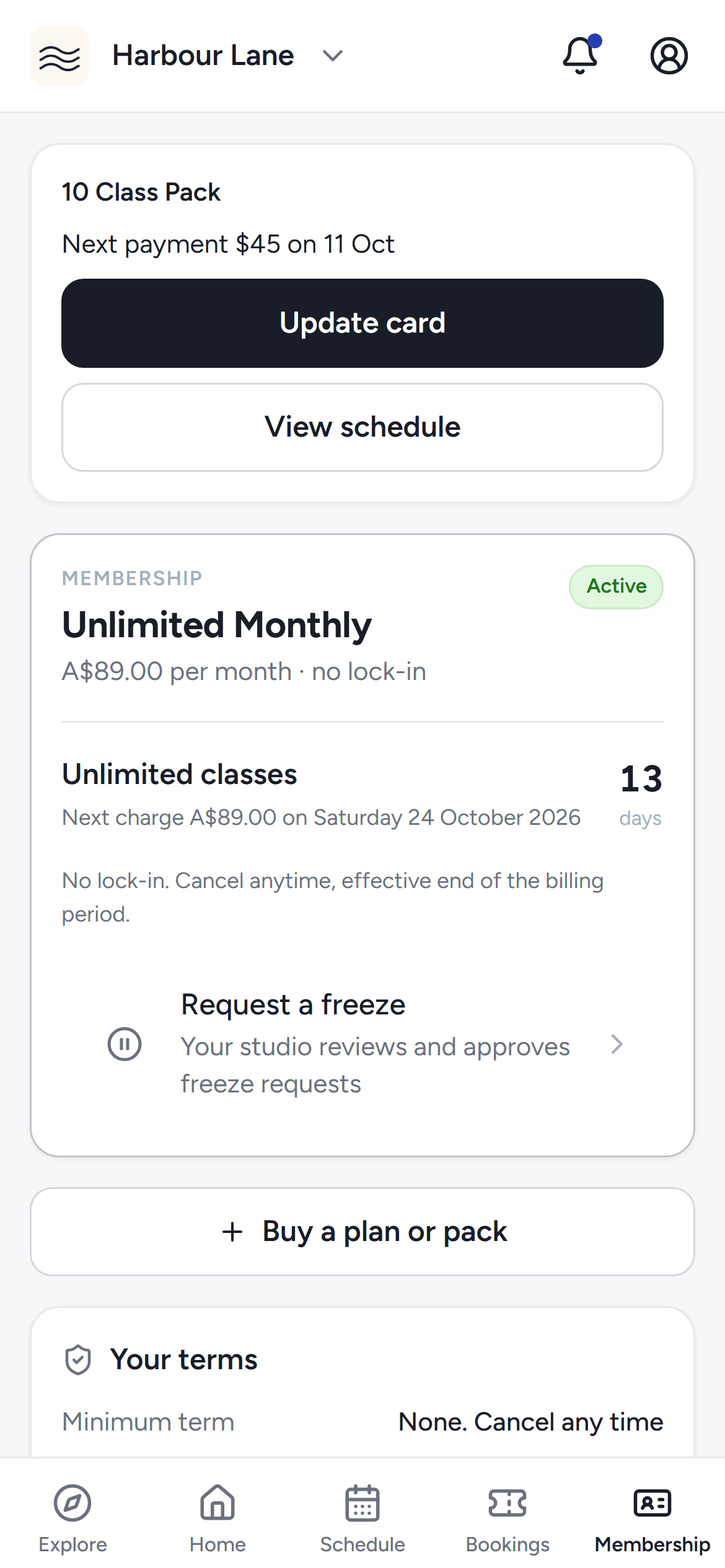
See your plan and credits, buy a pack, then freeze, stop auto-renew or cancel — within your studio's term and notice rules.
FOR MEMBERS
Book, pay and track your training.
Your studio runs on Move Belong, so your bookings, payments, workout log and family details live in one place.
One account, every studio
Each studio sees only its own
Book your kids from your account
Works in your phone browser
YOUR WEEK
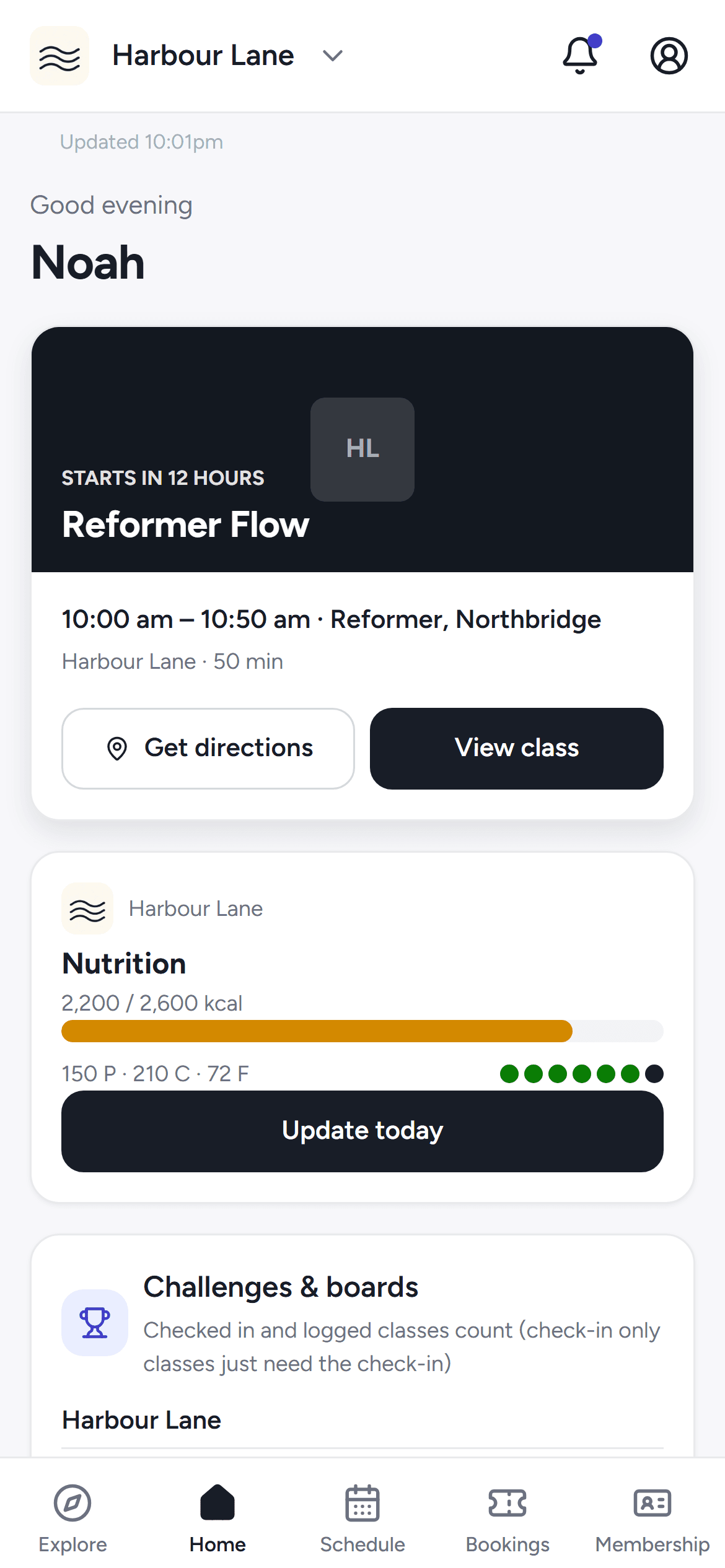
Browse classes on Explore or open your studio's schedule for the week, and book a spot — or join the waitlist when it's full.
Search by suburb or map, filter by day, and see how many spots are left before you commit.
When a seat frees up, the next person in line gets an email and a notification — and a text if the studio uses them.
Turn on Calendar sync once and every booking — yours and your kids' — flows into your calendar app.
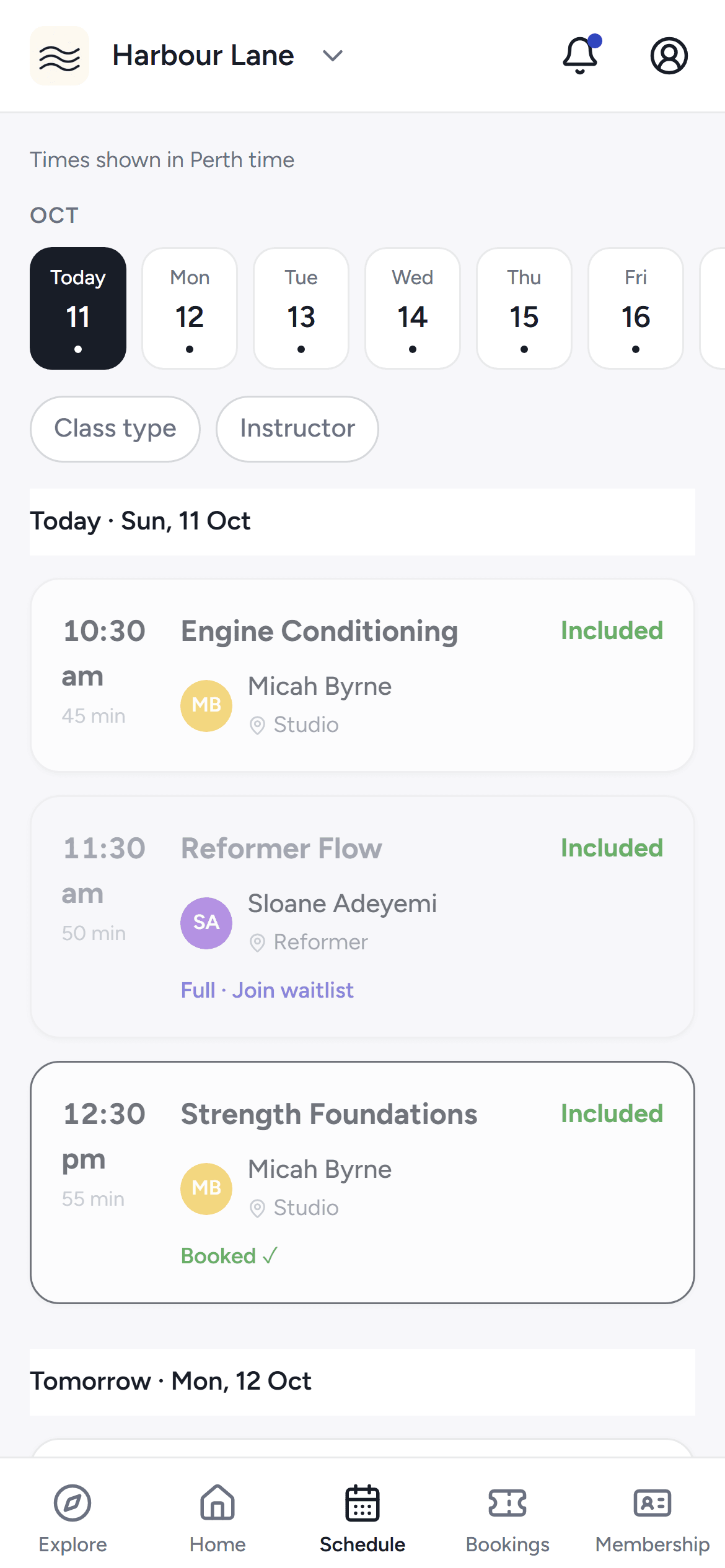
The studio's schedule in the phone app — day chips and bookable classes.
Sign the waiver from your phone on the way in, then scan the class code to check yourself in — no queue at the desk.
Read it, scroll to the end and type your name — it's done before you reach the door.
Point your camera at the code on the studio screen and you're checked in.
If the studio needs an intake form, you'll be walked through it before you book.
Log the session in a one-thing-at-a-time view, watch your streak and lift numbers climb, and open the program your coach set.
One exercise at a time with last time's weights pre-filled. Add, swap or skip with a note for your coach.
Your training streak, per-exercise progress and full history, built from the sessions you actually log.
Open the training program your coach assigned, block by block, with their notes on what to do next.
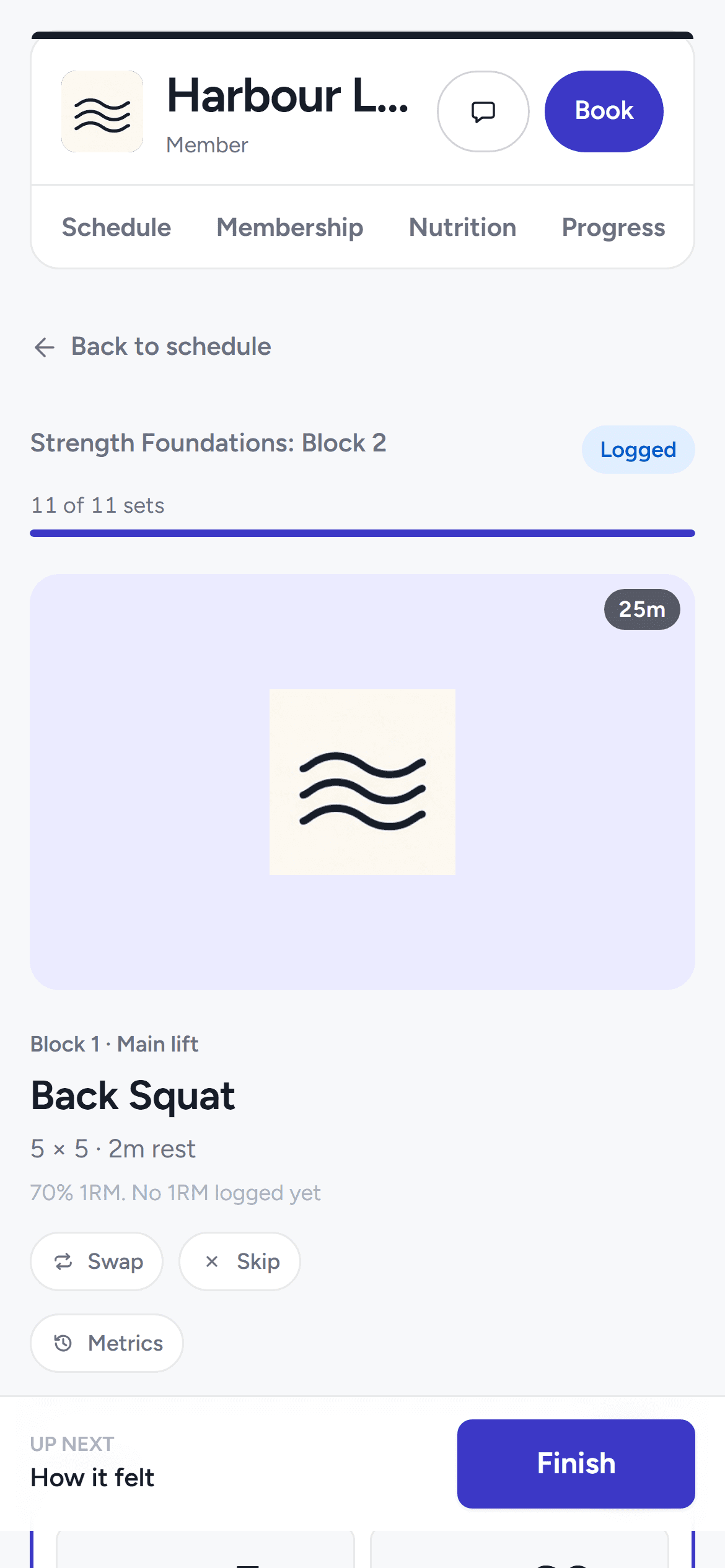
The session log on your phone — one exercise at a time.
Browse classes on Explore or open your studio's schedule for the week, and book a spot — or join the waitlist when it's full.
Search by suburb or map, filter by day, and see how many spots are left before you commit.
When a seat frees up, the next person in line gets an email and a notification — and a text if the studio uses them.
Turn on Calendar sync once and every booking — yours and your kids' — flows into your calendar app.
The studio's schedule in the phone app — day chips and bookable classes.
Sign the waiver from your phone on the way in, then scan the class code to check yourself in — no queue at the desk.
Read it, scroll to the end and type your name — it's done before you reach the door.
Point your camera at the code on the studio screen and you're checked in.
If the studio needs an intake form, you'll be walked through it before you book.
Log the session in a one-thing-at-a-time view, watch your streak and lift numbers climb, and open the program your coach set.
One exercise at a time with last time's weights pre-filled. Add, swap or skip with a note for your coach.
Your training streak, per-exercise progress and full history, built from the sessions you actually log.
Open the training program your coach assigned, block by block, with their notes on what to do next.
The session log on your phone — one exercise at a time.
YOUR MEMBERSHIP
See your plan and credits, buy a pack, then freeze, stop auto-renew or cancel — within your studio's term and notice rules.
Home shows your next class and, when a payment is coming up, the amount and date — with a Pay now button when it's due.
Cancelling a paid class shows exactly what comes back before you confirm — the price minus the card fee. If the studio cancels, you get it all back.
Receipts, invoices and payment plans for all your studios on one page — resend a receipt any time.
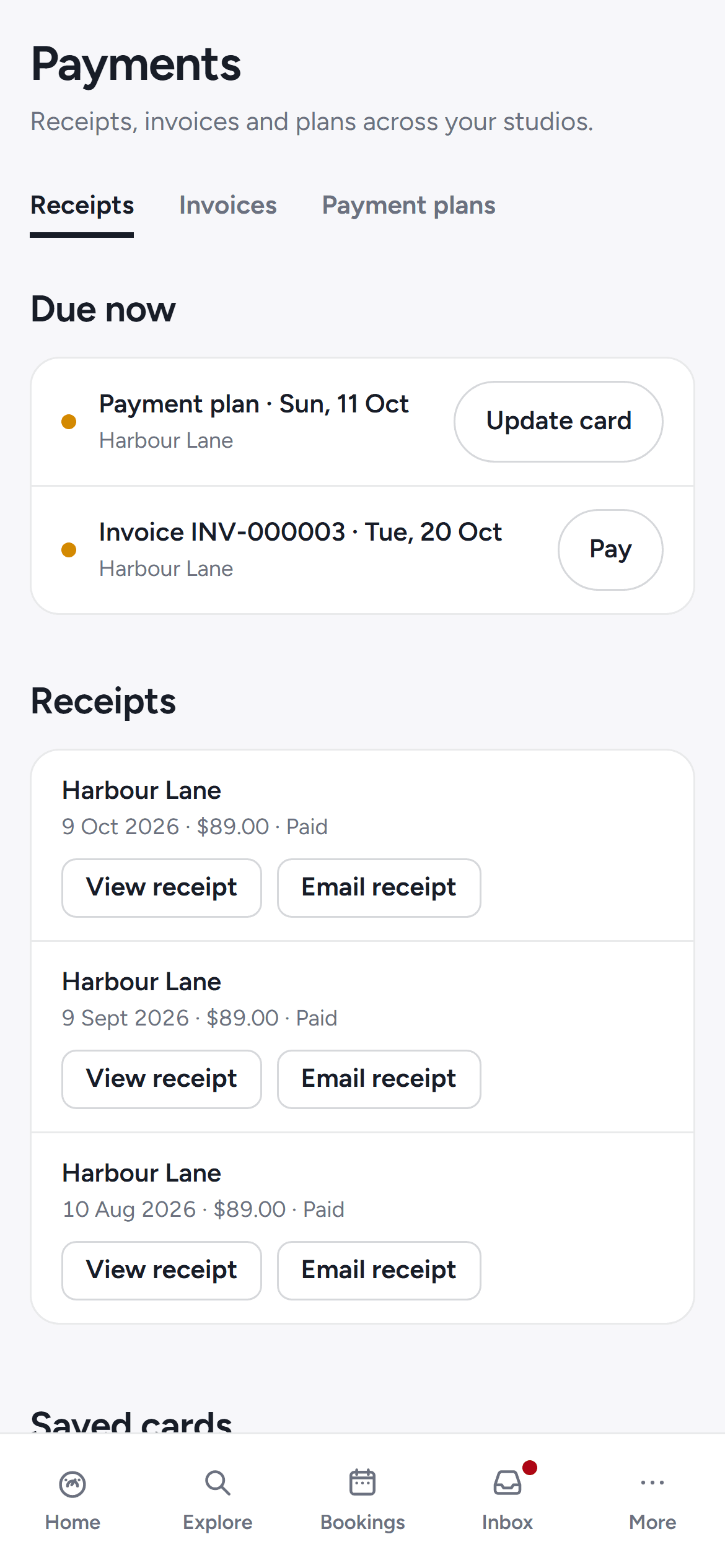
The payments page — receipts, invoices and plans in one place.
FOR PARENTS
Add your children to your household and book their classes from your own account. Their health details and photo permission are yours to answer, at each studio.
Children live in your household, and you book their classes and waitlists from your own account.
You answer your children's health questions and photo permission at each studio. Nothing carries over from yours.
Studio emails and alerts about your child's booking arrive on your phone, not theirs.
YOUR DETAILS
Each studio sees only its own information about you. Another studio never gets your details unless you say so.
A studio only sees your health details with your separate consent. One that requires them for membership tells you why first.
Reply STOP and every Move Belong studio stops texting that number. Reply START to turn them back on.
Delete your account and your identity is removed while the studio keeps its class history.
AND THERE'S MORE
Pick a time on your studio's consultation page. The studio sets whether it's free, paid online or paid at the appointment, and whether it's confirmed instantly or after they approve. You get a link to manage or reschedule it, and cancel before the cutoff for a full refund.
When a seat frees up, the next person in line gets the offer — take it within the window or it passes on.
Opening checkout holds your seat for five minutes. A failed or cancelled payment releases it straight away.
Upcoming and past classes for you and your kids, grouped by day, with a filter for whose bookings you're looking at.
Read your coach's bio and see their classes before you book.
Open the training program your coach set for you, block by block, with their notes on what to do next.
The app estimates your one-rep max from your logged lifts and only ever moves up as you get stronger.
Upload progress photos per pose. They're stored privately and only staff with permission at your studio can see them.
Join a challenge and see the leaderboard count your check-ins and logged workouts.
If your studio offers nutrition coaching, your targets, daily logs and meal-plan files appear in the app.
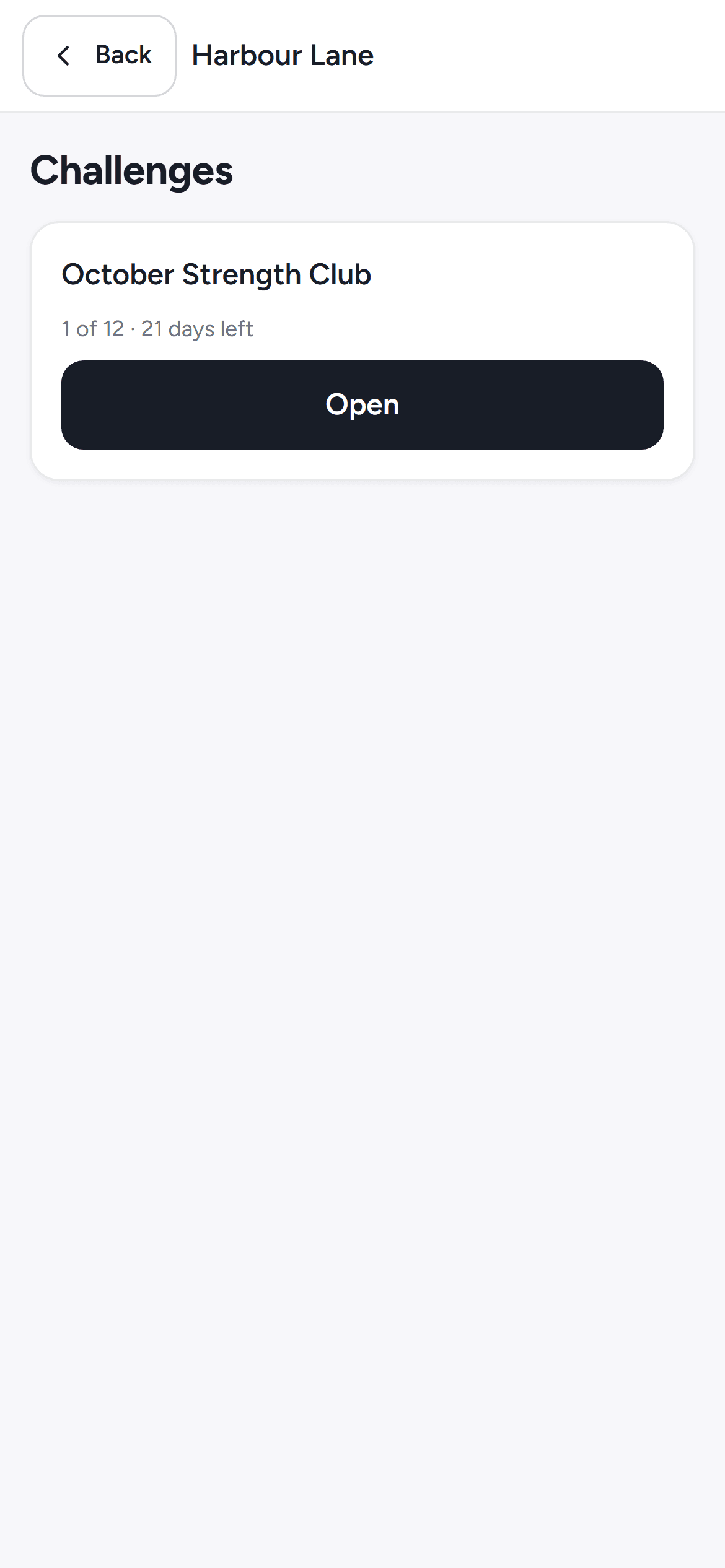
A studio challenge in the phone app.
Every payment you've made, across studios, with a receipt you can open or send again.
Split a membership into instalments or due dates, see each one on its own schedule, and pay from your phone.
Your card details are saved separately with each studio you pay — never one wallet shared across studios.
A pack whose credits are spent shows as fully used while its window is still open — not cancelled, not hidden.
If a renewal payment fails, only that membership is held — and you get a retry button, not a phone call.
Request a freeze from the Membership tab and your studio approves it. Packs stretch by the days you missed.
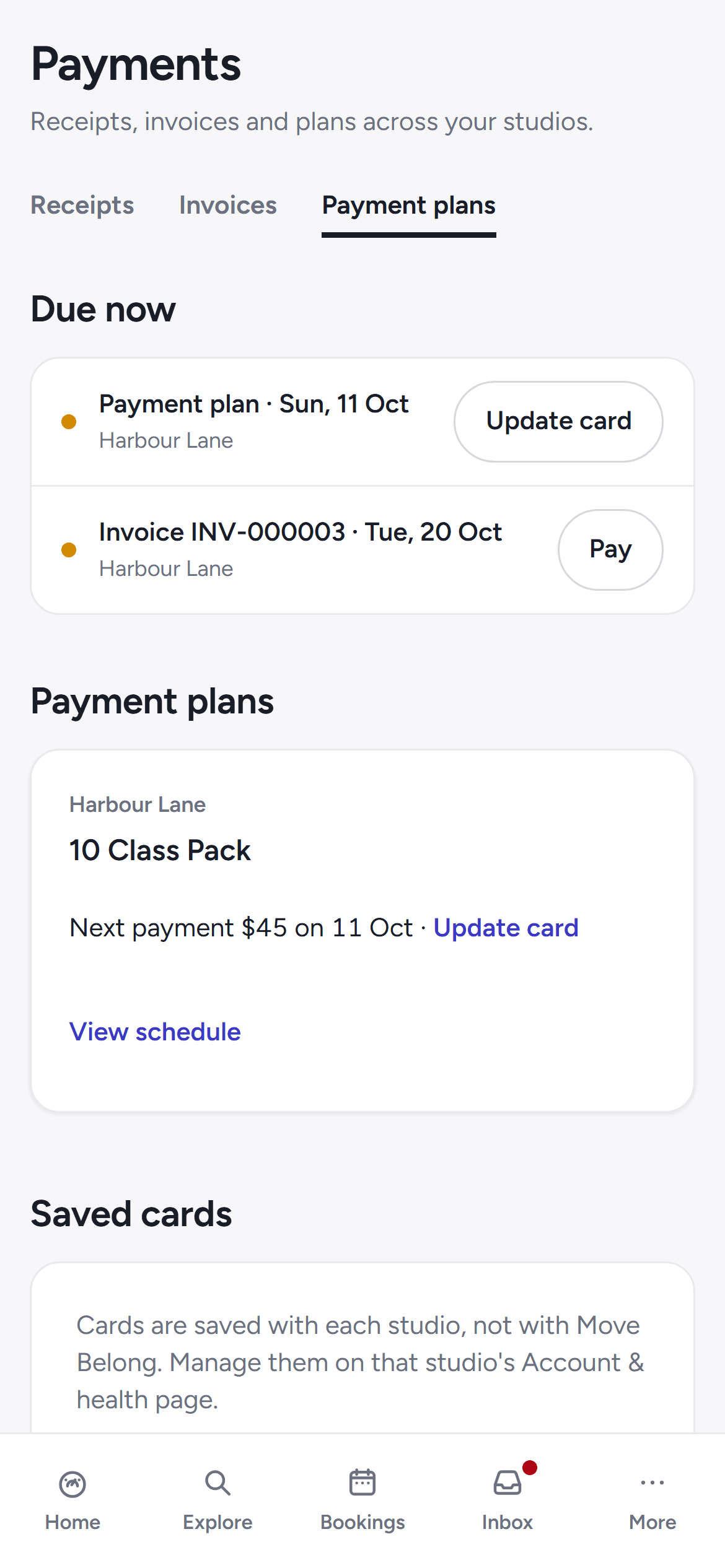
A payment plan schedule on the payments page.
Class cancellations, changes, waitlist offers and new programs land in one alerts inbox.
Ask about a booking or a class in a private conversation with the studio's team.
Pick which alerts buzz your phone, kind by kind. Messages the studio must send you still arrive.
Reply STOP and every Move Belong studio stops texting that number. Your account page has a START link to switch back on.
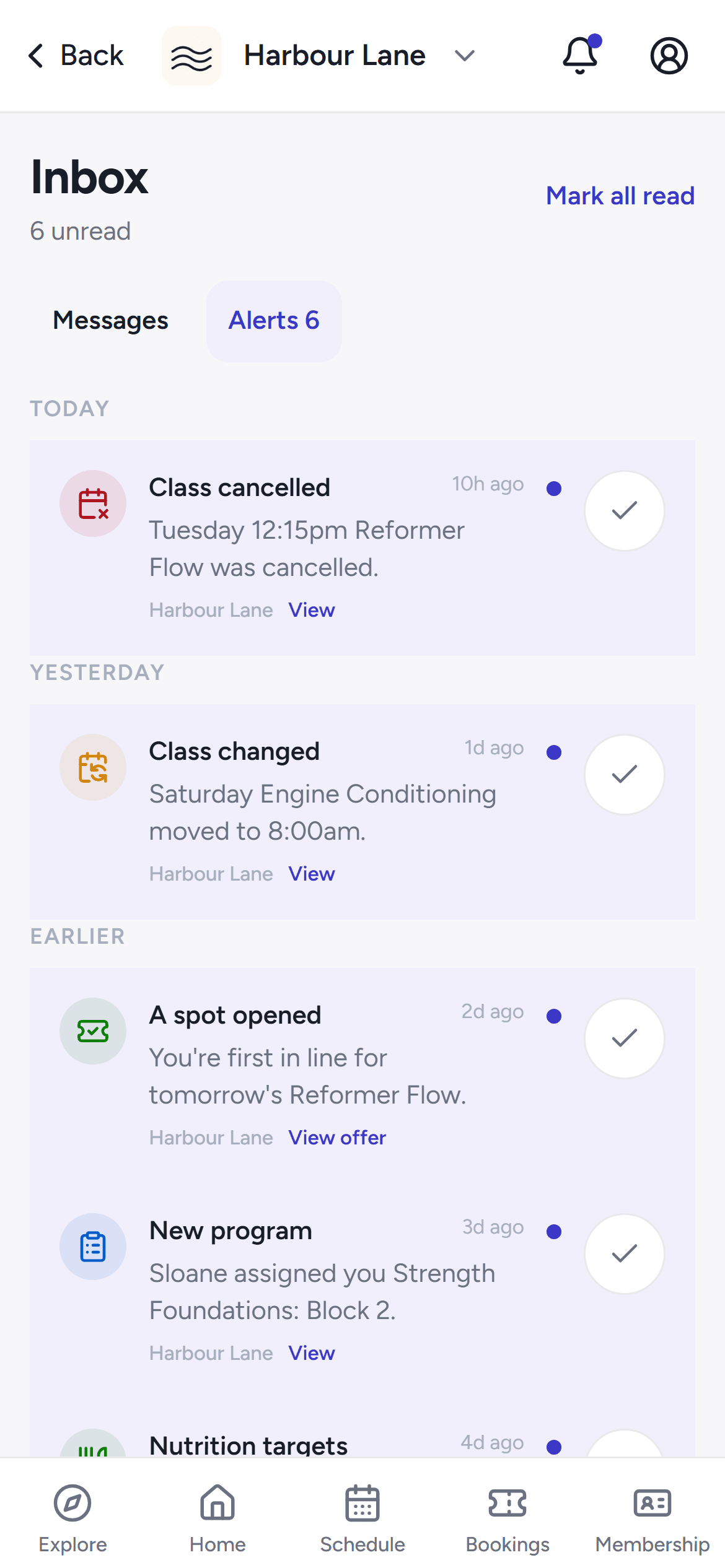
The alerts inbox in the phone app.
Reset it from the app or the web portal — the email link takes you straight back to where you started.
Your identity is removed and the studio keeps its class history. Cancel any memberships first — deletion needs them ended.
See and change, per studio, who can see your health details and contact details.
Save the studios you like, find them first on Explore, and pick a default so the app opens on the one you train at most.
Given a studio gift card? Open its link in the app to redeem it against your membership.
Paid drop-ins can be emailed a proper tax invoice for your records, when your studio turns it on.
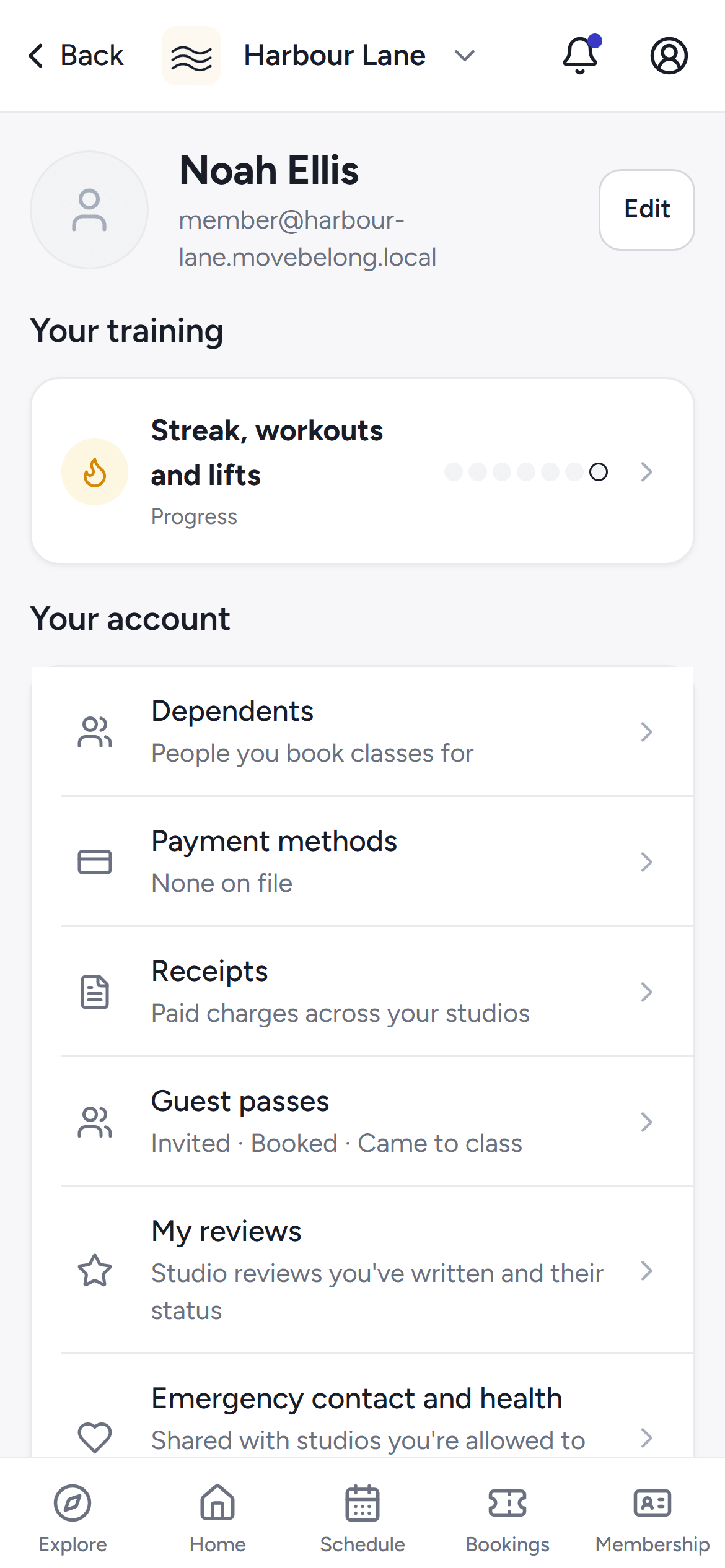
The account hub in the phone app.
Pick a time on your studio's consultation page. The studio sets whether it's free, paid online or paid at the appointment, and whether it's confirmed instantly or after they approve. You get a link to manage or reschedule it, and cancel before the cutoff for a full refund.
When a seat frees up, the next person in line gets the offer — take it within the window or it passes on.
Opening checkout holds your seat for five minutes. A failed or cancelled payment releases it straight away.
Upcoming and past classes for you and your kids, grouped by day, with a filter for whose bookings you're looking at.
Read your coach's bio and see their classes before you book.
Open the training program your coach set for you, block by block, with their notes on what to do next.
The app estimates your one-rep max from your logged lifts and only ever moves up as you get stronger.
Upload progress photos per pose. They're stored privately and only staff with permission at your studio can see them.
Join a challenge and see the leaderboard count your check-ins and logged workouts.
If your studio offers nutrition coaching, your targets, daily logs and meal-plan files appear in the app.
A studio challenge in the phone app.
Every payment you've made, across studios, with a receipt you can open or send again.
Split a membership into instalments or due dates, see each one on its own schedule, and pay from your phone.
Your card details are saved separately with each studio you pay — never one wallet shared across studios.
A pack whose credits are spent shows as fully used while its window is still open — not cancelled, not hidden.
If a renewal payment fails, only that membership is held — and you get a retry button, not a phone call.
Request a freeze from the Membership tab and your studio approves it. Packs stretch by the days you missed.
A payment plan schedule on the payments page.
Class cancellations, changes, waitlist offers and new programs land in one alerts inbox.
Ask about a booking or a class in a private conversation with the studio's team.
Pick which alerts buzz your phone, kind by kind. Messages the studio must send you still arrive.
Reply STOP and every Move Belong studio stops texting that number. Your account page has a START link to switch back on.
The alerts inbox in the phone app.
Reset it from the app or the web portal — the email link takes you straight back to where you started.
Your identity is removed and the studio keeps its class history. Cancel any memberships first — deletion needs them ended.
See and change, per studio, who can see your health details and contact details.
Save the studios you like, find them first on Explore, and pick a default so the app opens on the one you train at most.
Given a studio gift card? Open its link in the app to redeem it against your membership.
Paid drop-ins can be emailed a proper tax invoice for your records, when your studio turns it on.
The account hub in the phone app.
Still stuck? Ask your studio — or email hello@movebelong.com
The iPhone and Android app is on its way; there's no store listing yet. Until then, everything works in your phone's browser — booking, payments, logging and messages.
A drop-in class on Explore costs the price the studio lists — no booking fee on top. Memberships and packs are set by your studio, and they can send you an offer you pay right from your phone.
You can browse classes and studios without one. When you book, we'll ask you to sign up or sign in so your booking, receipts and messages land in the right place.
Yes. Add your children to your household and book their classes from your account. You answer their health and photo questions at each studio.
Only a studio you've given separate consent to — one studio's yes never carries to another. A studio that requires them for membership shows you why before you agree.
FOR MEMBERS
See what's on near you — then book, pay and log it in the same place.